
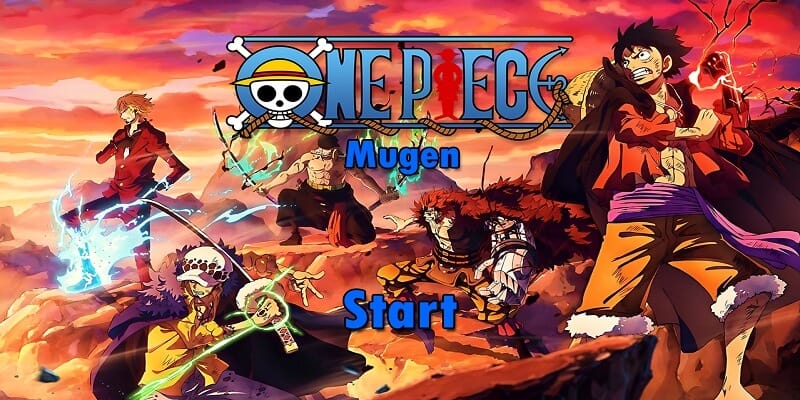
Download One Piece Mugen V12, a fun fangame developed with the free Mugen 2D video game engine, featuring different game modes such as single player, two-player versus modes, team battles, AI-only battles, customization options, and more.
You can try playing it on other platforms, such as Android phones, with emulators like ExaGear or Winlator. We have tutorials for that on our YouTube channels or right here in the tutorials section of the menu.
Follow us on our social media so you don't miss out on upcoming games, tutorials, updates, and more.
Game Information:
Platform:
PCAuthor:
Dark Night MugenCompressed:
5.92 GBUnzipped:
8.63 GBStorage:
14.55 GBRendermode:
OpenGLLinks download:
Instructions:
Playing Instructions:
(Open) If the game has only one part:
- Have WINRAR installed, the free trial works and is downloaded from the official website.
- Then right click on the game file.
- Look in the menu for the WINRAR icon or section and select the "Extract to" or "Extract here" option.
- Wait for the game to finish extracting.
- The folder with the game files will be created.
- Open the folder and run the icon with .exe extension can have the Mugen icon or the name of the game.
(Open) If you have several parts:
- Download all the complete parts and have them together in the same folder, if any part is missing the game may not work.
- Have WINRAR installed, the free trial works and is downloaded from the official website.
- Right click on part number 1 and then look for the WINRAR icon or section in the menu and select the "Extract to" or "Extract here" option.
- It will start extracting that part of the game and usually continue automatically with the other parts until all parts are finished.
- If it does not continue automatically with the other parts, you must extract each part of the game separately and make sure that all the extracted files are saved inside the same folder, if they are extracted in separate folders, you must put them all together inside a single folder
- Open the folder and run the icon with .exe extension may have the Mugen icon or the name of the game.
(Open) If you are going to apply a Patch:
- Download the patch.
- Have WINRAR installed, the free trial works and is downloaded from the official website.
- Right click on the patch file and then look in the menu for the WINRAR icon or section and select the "Extract to" or "Extract here" option.
- Start extracting until finished.
- Then open the folder that was created and copy all the files and folders inside.
- Now you must go to the folder of the game you are going to update and paste inside the files you copied, it will ask you to replace some files you must accept and wait for it to finish.
- When finished you will have the game updated to the new version.
If any message, error or problem arises when extracting the game, maybe the compressed file or if it is of several parts, it did not download correctly, try to download the game again and if it still does not work comment us in this page below or in some of our social networks to verify and try to change the game file and publish it again.
tengo un error
Hola ese error indica que el char Kaido no funciona bien y por eso el juego se cierra, si solo te ocurre con ese personaje puedes quitarlo del juego
I have this error
Error detected.
Can’t load Kaido.sff
Error loading chars/Kaido/Kaido.def
Error loading p1
Clipboard tail:
Loading stage…
Info: stage Whikey Peaks loading in pre-1.0 compatible mode
Loading BG…OK
Stage loaded OK
Allocating helpers…OK
Match RNG seed: 1911442186
Reset persist vars team 0
Reset persist vars team 1
Player Akainu purged from cache: 4
Freeing player RC Akainu…CMD…CNS…SFF…AIR…SND…Misc…OK
Loading character chars/Kaido/Kaido.def…
Loading info…OK
Loading cmd command set Kaido.cmd…OK
Loading cns Kaido.cns…OK
Loading cns Specials.cns…OK
Loading cns AI.cns…OK
Loading cns Supers.cns…OK
Loading cmd state entry Kaido.cmd…OK
Loading common states common1.cns…OK
Loading sff Kaido.sff…Character Kaido.def failed to load
hola hay un error
Hola que error?
it happens always
Error when starting battle
Hello friend, what error is happening to you?
im getting errors too, no matter what i do it happens when i try to start the battle. please fix this
Hello, what do the errors indicate?
i dont really know the specifics but it happens everytime i try to start a fight, I’ll copy and paste what it says for the battle i just tried to start.
“Library error message: Error reading sprite 1.sff
Cutscene error reading data\1.def
Error detected.
Error loading storyboard: 1.def
BG error reading stages\MirrorWorld.def
Clipboard tail:
Selected char 105 on teamslot 1.0
Char Trafalgar Law Onigashima.def (105) request pal 5 0 (0) -> reserved 0 (0)
End of charsel loop
Game loop deinit
Gameflow 8
Char Nami.def (39) request pal 0 0 (0) -> reserved 0 (0)
Char Zoro (Wano).def (27) request pal 0 F (F) -> reserved 0 (E)
Gameflow 9
Gameflow 10
Entering versus screen.
Unloading match assets
Freeing players
Game loop init
Versus screen init
End of versus screen loop
Game loop deinit
Gameflow 11
Loading match assets…
Loading stage…
Info: stage Mirror World loading in pre-1.0 compatible mode
Loading BG…”
But does that error happen always or sometimes? because it is indicating that a scenario is not working correctly and that is why when loading it the game crashes and closes, what you can do is remove it from the list of game scenarios to see if it does not happen again, you must access the folder called data then open the file called select.def with notepad and then delete the line that has the name of that scenario called MirrorWorld.def then you save the file and close it and try to play, and for security it creates a copy of the select file. def before modifying it