

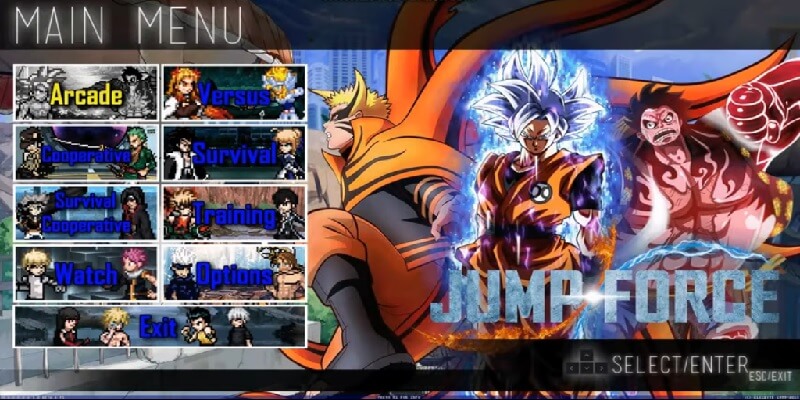
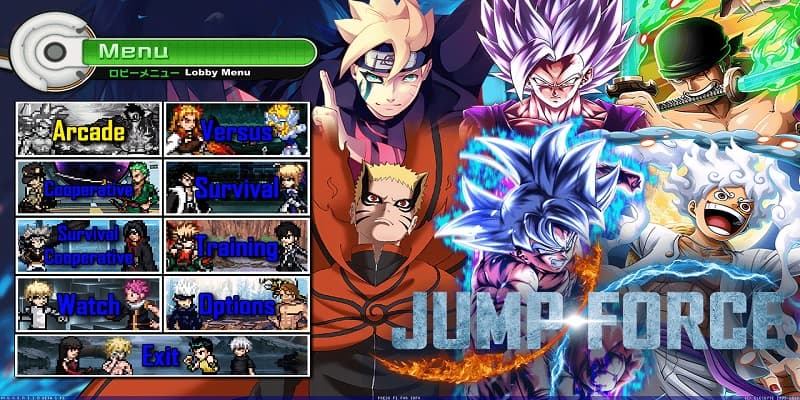
Download JUMP FORCE MUGEN V8, a fun fangame developed with the free Mugen 2D video game engine, featuring different game modes such as single player, two-player versus modes, team battles, AI-only battles, customization options, and more.
You can try playing it on other platforms, such as Android phones, with emulators like ExaGear or Winlator. We have tutorials for that on our YouTube channels or right here in the tutorials section of the menu.
Follow us on our social media so you don't miss out on upcoming games, tutorials, updates, and more.
Game Information:
Platform:
PCAuthor:
Dark Night MugenCompressed:
26.70 GBUnzipped:
47 GBStorage:
73.76 GBRendermode:
DirectXLinks download:
Instructions:
Playing Instructions:
(Open) If the game has only one part:
- Have WINRAR installed, the free trial works and is downloaded from the official website.
- Then right click on the game file.
- Look in the menu for the WINRAR icon or section and select the "Extract to" or "Extract here" option.
- Wait for the game to finish extracting.
- The folder with the game files will be created.
- Open the folder and run the icon with .exe extension can have the Mugen icon or the name of the game.
(Open) If you have several parts:
- Download all the complete parts and have them together in the same folder, if any part is missing the game may not work.
- Have WINRAR installed, the free trial works and is downloaded from the official website.
- Right click on part number 1 and then look for the WINRAR icon or section in the menu and select the "Extract to" or "Extract here" option.
- It will start extracting that part of the game and usually continue automatically with the other parts until all parts are finished.
- If it does not continue automatically with the other parts, you must extract each part of the game separately and make sure that all the extracted files are saved inside the same folder, if they are extracted in separate folders, you must put them all together inside a single folder
- Open the folder and run the icon with .exe extension may have the Mugen icon or the name of the game.
(Open) If you are going to apply a Patch:
- Download the patch.
- Have WINRAR installed, the free trial works and is downloaded from the official website.
- Right click on the patch file and then look in the menu for the WINRAR icon or section and select the "Extract to" or "Extract here" option.
- Start extracting until finished.
- Then open the folder that was created and copy all the files and folders inside.
- Now you must go to the folder of the game you are going to update and paste inside the files you copied, it will ask you to replace some files you must accept and wait for it to finish.
- When finished you will have the game updated to the new version.
If any message, error or problem arises when extracting the game, maybe the compressed file or if it is of several parts, it did not download correctly, try to download the game again and if it still does not work comment us in this page below or in some of our social networks to verify and try to change the game file and publish it again.
So which part should i extract part 1,2,3,4,5,6, or 7 ?
You must download all the parts, have them all in the same folder and extract only part 1, you can watch our video tutorial we show how to extract several parts here https://youtu.be/ZfBhFLGndrE?t=248
uh is there a patch link ?
Hello friend of this version no, Regards
My game keep crashing it freezes i need help it just shows a black screen shade
Hello friend, if you mean the black screen that appears after the controls, it is the loading screen, you just have to wait for it to finish loading and the game will start normally, sometimes it can take several minutes, Regards
Hello how are you? Please, can you tell me if the game is portable (can I play it on my external HD)? Because my pc is low on storage…
Hello friend, if being portable you can play that way, but when you open the game the loading time can be longer, you just have to wait a few minutes and it will open. Cheers
hello, why is it that it took me forever to download but there’s less than 20% of the characters and the battles dont work? i was instructed to get part six but I’m very frustrated.
Hello friend, I don’t understand what you mean about the sixth part, but remember that you must download all the complete parts for the game to be complete and work, and also on GoogleDrive you can find the complete game in one part and if the message appears Since it cannot be downloaded from GoogleDrive, you can see the tutorial we did on how to download from GoogleDrive without limitations here https://juegosdemugen.com/en/download-tutorial Regards
I just installed the game and went into the training mode and saw that a lot of the characters weren’t unlocked, any way to unlock them?
Hello friend, if you mean the slots with the question mark? they are to add more characters not to unlock them. You can download and add them yourself, as well as on the Dark Night game creator channel he publishes characters every day and also patches for the game. Greetings
the game crashes after the controls image when i try to start the game , any solutions ?!
Hello friend, try to lower the resolution to see if it works, you can also try to change the rendering mode, test with DirectX or System, in the main menu are the tutorials. Greetings
Hello, sorry but my game opens in window mode so the resolution is the one that comes with it, how do i change the rendering mode of the game?, the game only opens, show the image of the controls to player one and two after it gives a black screen and stop responding so i cant go to the main manu to see tutorials, any help?
Hello friend here you can see the tutorials you need https://juegosdemugen.com/en/category/tutorials Greetings
my render mode was already at DirectX so i tried with OpenGL and System but it didnt work, doesn’t even open the game, it frozes with a black screen and crashs right after, i tried changing the game resolution to the same as my pc but it didnt work as well, any more tips please? i really want to play the game.
Well we can try a much better friend resolution to see if it at least starts the game maybe in 800×600 or the old 640×480 for example. With this you would put the game to the minimum requirements and leave the rendering mode in DirectX or System and tell us if it worked for you friend
When i download the files they download as media player files. any way to download them properly?
Hello friend, it is strange, I think it is due to your PC, remember that you must have winrar installed to be able to extract the game. regards
Eu não consigo abrir o link do google drive, e quando tento do media fire, eu também não consigo.
Hello friend use mediafire, because googledrive is saturated. Greetings
I downloaded all the parts and made a folder for them, then i extracted 1 part, but it is an error there, in the extracted folder i just have a folder “chars” and two apps “3v3” and “4v4” (they arent opening)
what must i do?
Hello friend, it seems that the parts were not downloaded correctly, make sure that all the parts were downloaded completely by looking at how many GB they occupy and comparing it with the specifications that we place here. You can try to download again. Greetings
when i try to install it ,it doesnt response ,there is 3 exe file and tried all ,same result
can u help me ,is there anything wrong with installer?
Hello friend, you can try to reduce the resolution of the game and try if it works for you, Greetings
i mean installer doesnt response ,i couldnt install it yet
You can also try to change the render mode to Directx to check if it is possible to work this way, here is the link of the tutorial https://juegosdemugen.com/en/error-when-running-mugen-rendermode Greetings
its for after installing not before , at least can u tell me why installer is Spanish ,
Friend, this game does not have an installer, you just have to extract the parts with winrar and then run the .exe file with the name of the game, that is why I do not understand your problem very well. Greetings
It says it faild to download.What must I do to make it download from Mediafire?
Hello friend, you must download each part separately, you right click on each part and then click on download, do the same with the 7 parts. Greetings
How do I get all the characters?
If you mean the empty slots at the end are for adding new characters you can add them yourself if you want. Greetings
I’m able to download and the play the game, but I don’t have all the characters. How can I access all of them?
Hello friend, which characters can’t you access? Maybe it’s a download bug. Greetings
Good morning, I wanted to inform you that the link to download the drive is not working. It’s been offline since last month.
Hello friend, yes we are about to change the link from google drive to server soon. Greetings
los archivos 5, 6 y 7 de mediafire no se pueden descargar-
Hola amigo acabo d comprobar y esas partes estan acitvas, intenta nuevamente, te dejo los links aqui mismo: https://www.mediafire.com/file/14mxt89y2s8lns9/Jump_Force_Mugen_V8.part05.rar/file
https://www.mediafire.com/file/stt61mbk1478bdv/Jump_Force_Mugen_V8.part06.rar/file
https://www.mediafire.com/file/oyyqy9iyzn3kia9/Jump_Force_Mugen_V8.part07.rar/file
Saludos
Hey, So i downloaded all the parts and then extracted them but my game says ends up with not responding. Any way to solve this?
Hello friend, you can try reducing the resolution or place it in window mode to consume less resources and maybe it works better, in the menu you will find the tutorial section on how to do it. Greetings
When I load it up, it shows the keyboard picture but then freezes. It says M.U.G.E.N (Not Responding). I have tried redownloading about three times already.
Hello friend, try lowering the resolution or placing it in window mode, you can see how to do it in the tutorials menu. Greetings
when i press mediafire download it sends me to a place where it asks me to agree to terms and policys or add a chrome extension for openbook, safetravel and some others. i agreed to one and my virus detector said there were 3 threats please help me find the place to download jumpforce
Hello friend, that is just advertising that is shown in pop-up windows, you just have to close it when it opens and that’s it, you click on MediaFire again and it opens. Greetings
hi i downloaded the game and i like it but i wanted to know will there be an upgraded version of Asta from black clover because i saw on youtube a person playing asta’s ultimate form
Hello friend, I cannot tell you, remember that we are not the creators of the game, as I indicated in the description, the creator is Dark Night, he has a YouTube channel where he publishes the games. Greetings
ok so confused i downloaded only part 1 and i have the full game? whats the other 6 parts fo?r the first one was 46 gbs
Hol friend you must download all the parts. Greetings
Hello when extraction is like at 99% this thing pops up saying “next volume required” and that i need to insert a disk what do i do?
Hello friend, it is a strange error, maybe some of the parts did not download well, you will have to try to download again. Greetings
Oh my days nevermind i solved the problem it turns out i was missing a part that i forgot to download thats why
Ok friend thanks for clarifying. Greetings
So after downloading all of the stuff do we add all the files into one folder together?
Yes
я не понел что мне делать я скачала все части
теперь мне нужно все части переместит в одну пустую папку и там извлекать первую часть и потом все осталные автоматицские извлекаются и потом что делать не нажат или входит какую папку надо нажат что пойграть
Привет друг, если нужно скачать все части игры вместе в папке и потом распаковать программой winrar первую часть, а остальные распаковываются автоматически, потом заходишь в папку с игрой и запускаешь ее, исполняемый файл называется так же как и игра Jump Force. Приветствую вас
Is it possible to download it as a torrent?
Hello friend, when it is ready we will publish it. Greetings
Forgive it still if I downloaded all parts of mugen via MediaFire. And I have a question: do I need to unpack them on weekdays? I mean, too dumb to figure it out on your own, can you do something like a short instruction?
Hello friend if you must download all the parts then put them inside the same folder, right click on part 1 and extract with winrar, that way the whole game is extracted and you can run it. Greetings
Forgive me what to do if I need to download this mugen via google drive, but writes “At the moment, viewing and downloading this file is not available.
This file has been viewed or downloaded too often lately. Please try again later. If the file is very large or open for access to a wide range of users, access to it may be denied within the next 24 hours. If the situation does not change after 24 hours, contact your domain administrator. “However, the problem will not be fixed after 24 hours.
Hello friend is saturated with downloads that’s why this link is Mediafire. Regards
how do i use the mediafire one ?
Hello friend, you must download each part separately. Click on the part and then click on download. Regards
Is there a way to add a download for a torrent? Mediafire downloads extremely slowly.
when i click on media fire it brings me to a thing called open book should i install it
https://www.mediafire.com/folder/xi4zw0vh0hxfl/Jump_force_Mugen_V8
Is there online multiplayer?
No
where is the link ?
https://www.mediafire.com/folder/xi4zw0vh0hxfl/Jump_force_Mugen_V8
hello i have enough memory for the game but after downloading it i couldnt extract/unzip it so idk what to do
Hello friend if it gives you problems to extract may be that some part is badly downloaded, it is recommended for that error is that you re-download the parts. Regards
I don’t know hot to extract the files
Hello friend you must use the winrar program to extract the game. Regards
Hello i extract all into same folder and after the controls it stops responding
hello friend you must extract all the rar files in the same folder. Regards
hello, when i wan’t to play Black Goku the game says “Can’t Load Black Goku …. couldn’t find” can you help ?
Hello friend it may be a bug or that the character is not properly downloaded in the game, you can try to download only the character you can search for it on Youtube and add it to the game to see if the error is corrected. Regards
thanks to you ! it actually work
What to do if it says bad exe format?
Hello friend it is a strange error, it may be that it did not download correctly, you could try to download again to check. s
at first I was able to install mugen JF but some thing went wrong trying to add more characters so I had to delete it and reDownload it but 4 errors keep appearing such as not enough disk storage even thou I have enough please tell me If I can fix this or not.
Hello friend if it tells you that you do not have enough storage is the error, remember that you must have 26.70 GB of space to download and about 47 GB to extract are almost 75 GB in total that you must have to download and extract it. Greetings
” One or more files are too large to be included. Files must be 2 GiB or less in order to be included in the zip file. “
Hello friend, you must download each part separately. Regards
When I go to download it there is a notification that says, “One or more files are too large to be included. Files must be 2 GiB or less in order to be included in the zip file.”
Hello friend, you must download each part separately. Regards
Yo, maN.When itry to extract FILES it say “Password Please”. What is the password.
Hello friend this game has no password, are you sure you downloaded the correct one?
When I clicked media fire it would take me to another link called openbook and when I tried downloading it would not let me is the link working or something.
Hello friend it may be the popup advertising window that is displayed when you click, just close the ad sale and click the button again. Regards
sorry guys any one know how to use the joystick on this game?
i cannot download says too many things
Hello friend you must click on each of the parts and download separately. Regards
can you upload on drive cause mediafire is too slow man
Hello friend but drive limits the downloads and the link is blocked for 24 hours. Regards
The archive is either in unknown format or damaged PLEASE
Hello friend, where do you get this error?
I try to download and it says “One or more files are too large to be included. Files must be 2 GiB or less in order to be included in the zip file.” though i can download the part 01-08 individually. any help?
I figured it out, now I need to know if i can change the controls and if so how?
Hello friend if you can change the controls in the game menu options. Regards
help me pls the dowload does’t start
is stay at 0,0/4G
Hello friend we can’t help you with that, it must be your internet or maybe the download server is slow. Regards
do i put them all in a folder and then extract them or do i extract them separately
Yes, my friend, they are all in the same folder and when you extract part 1, the others are extracted automatically. Greetings
Hello,
The link doesn’t work, reupload please
Hello friend if it works try again. Regards
hello, i have downloaded all the parts, but i don’t know how to install the game, can you please help me.
Hello friend after downloading all the parts you must use the winrar program to extract the game folder. Regards
Sans faire exprès j’ai compressé les fichiers est-ce que ça change l’extraction ou autre?
Hello friend, I do not understand the question, could you explain better?
The download page of part 02 on media fire doesn’t work
Hello friend if it works try again. I leave you the direct link here https://www.mediafire.com/file/d4w8feralnq3er8/Jump_Force_Mugen_V8.part02.rar/file Greetings
Can u tell me the step by step because I downloaded every part and don’t know what to do??
Hello friend if you have already downloaded all the parts now you must extract with the winrar program and after that open the game folder and run it. Greetings
does anyone know how kashin koji stand at toad ?
Like what do I do I downloaded all the parts then extract which part to which part??
By pressing extract on the first part, the other parts are automatically extracted.
Do I extract it in one or something else??
If you only have to extract the first part and the others do it automatically. Remember to have all the parts together in the same folder before extracting. Greetings
Thank you
When I download all parts what parts on I do now
Hello friend after you download all the parts you extract it and ready you can run the game. Regards
yo so when i click the link there’s 6 parts which part do I download?
Hello friend, you must download all the parts. Regards
ra phiên bản V9 đi nhà phát hành game , tôi rất mong chờ sự xuất hiện của những nhân vật trong kengan ashura và baki trong game jump fore này
olha o dowload pelo media fire não está funcionando
Olá amigo se funciona, tente novamente. Cumprimentos
the link isnt working when it will be available?????????
Hello friend for now we only leave the Mediafire option. Regards
mas adelante sacaran para descargar por ultorrent porfa :,v ?
Lo intentaremos amigo. Saludos
This link isnt working
Hello friend, it is because you have had many downloads, we are going to upload it to mediafire so that this does not happen. Greetings
when it will work??
Hello friend for now we only leave the Mediafire option. Regards
why didnt you make this like v7 i liiteraly did everthing extracted all this shit and nothing
Hello friend, remember that we are not the creators of the games, in the description, you can find the name of the creator is Dark Night, you can search his channel on YouTube and tell him your opinions, forget that we only publish the links that they provide as public, we do not do any of the fan games. Greetings
dude greetings means hello not goodbye
Hi friend, I don’t understand?
it say archive not found
In MediaFire, if the friend link works, I’ll leave it here, remember that you must download all the parts. Greetings https://www.mediafire.com/folder/xi4zw0vh0hxfl/Jump_force_Mugen_V8
Can you please make a finished game right away : just download and run and play , please make it a ready game right away without any different part please
Hello friend, remember that we do not make games, we only share the links that you share with their authors, we know that a game is annoying in so many places but they are published like this due to download server issues that do not allow large files like this game, and the To be admitted, you have to pay to be able to publish them, so you have to publish them in several parts in Mediafire, for example, what I can recommend about this game is V12, we have it published in a single part, extract it with winrar and that’s it, you can play, it’s in GoogleDrive and 1fitcher you can download it from either of the two, Regards
The first link isnt working.
If friend is that it is saturated by many simultaneous downloads, you have to wait for it to be active again. Greetings
I almost finished download and its crashed, pls add Torrent version of it.
Hello friend for the moment mediafire is the other option. Regards
Hello friend for now we only leave the Mediafire option. Regards
Hello friend if you can download them all at once, just click to download each one and that’s it. Greetings
Yes
Hello friend if at first it was fine and the next day does not work, it seems that your antivirus may have deleted it thinking it is a dangerous file because being a fan game detects it as a strange file. try to extract it again but disabling the antivirus to see if the executable does not disappear and tell us how it went. Regards
Great!
Hello friend we have not tested it on Chromebook as it is for Windows. Regards
Hello friend, here we show you how to do it https://juegosdemugen.com/en/how-to-put-mugen-in-full-screen
Hello friend shows this way because the link is saturated by many downloads. It is more advisable to use the mediafire one. Regards
Hello friend, what do you mean by idk? You can also try google drive a single link I just checked it and it is active again. Regards
Hello friend you must specify better the error, it could be that you downloaded some part wrong, or it could be that your pc is little powerful in that case you can probra to lower the resolution, or it can also be that your pc does not support the OpenGL graphics you must change by Directx, if you need some tutorial you can see the ones we have in Tutorials menu. Greetings
hello friend no not yet. Regards
Hello friend, you must download each part separately and then extract them with winrar, above the download link are the instructions. regards
Hello friend, I do not understand very well what you are saying about the onedrive, but in order to extract the game you need to have the complete 7 parts so that it can work. Greetings
Olá amigo, se precisar baixar, pode ver nosso tutorial de como baixar do GoogleDrive aqui https://juegosdemugen.com/tutorial-de-descarga e nosso novo tutorial de como jogar Mugen Online com amigos aqui https://www.youtube.com/watch?v=-cXNEdRo8Zs os dois tutoriais se aplicam a este e a quase todos os jogos que publicamos